What is Tailwind Editor? What was the inspiration behind building an AI-powered visual builder?

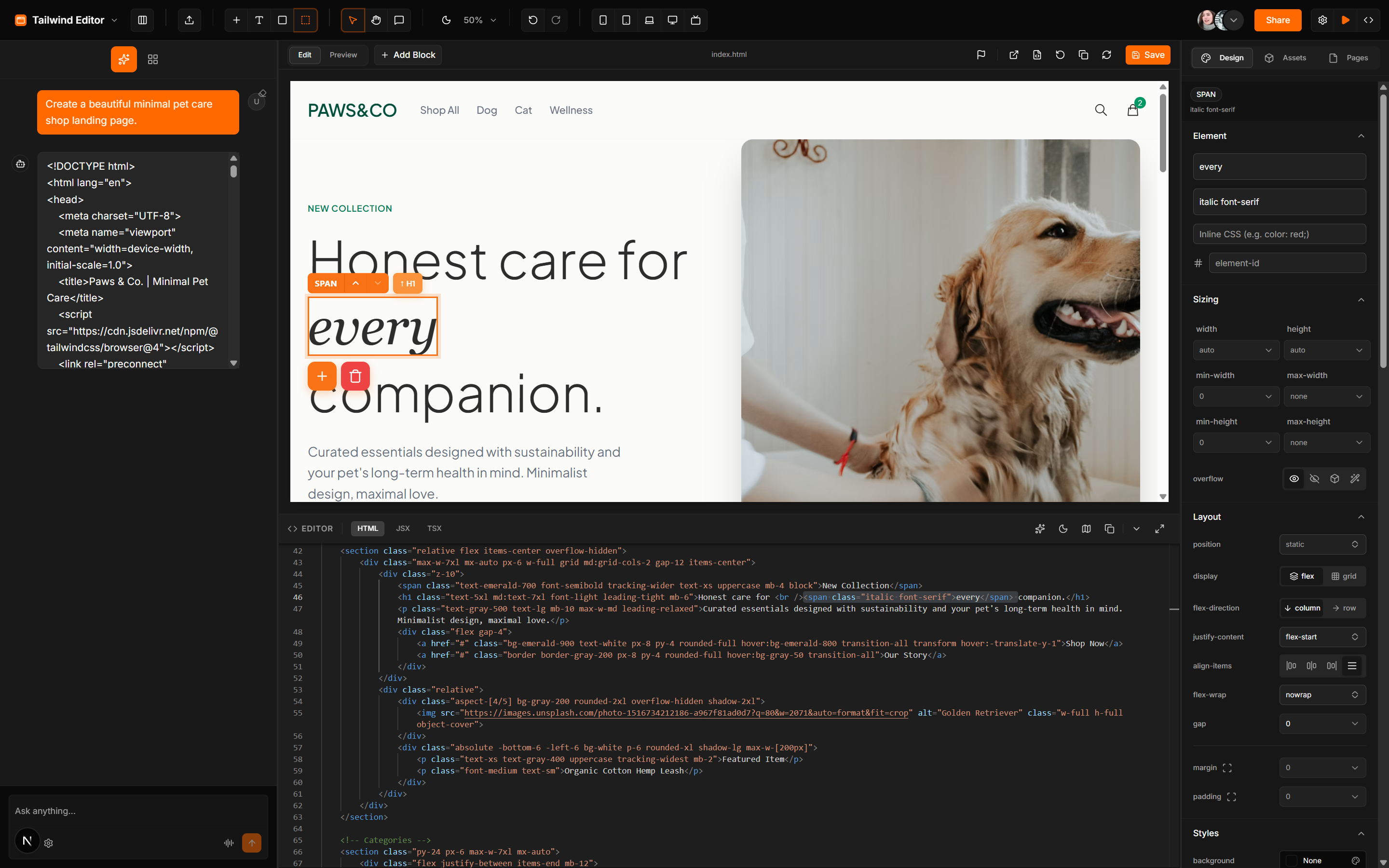
Tailwind Editor is a fully functional, browser-based visual editor designed specifically for Tailwind CSS.

Developers and designers love Tailwind, but building complex layouts still requires constantly switching between a code editor and a browser preview. I wanted to build an experience similar to Webflow or Framer, but strictly outputting clean, framework-agnostic Tailwind CSS.

With Tailwind Editor, you can click on any element in the live iframe preview, visually adjust its flex properties, padding, or typography via a right-hand properties panel, and see the code update instantly.

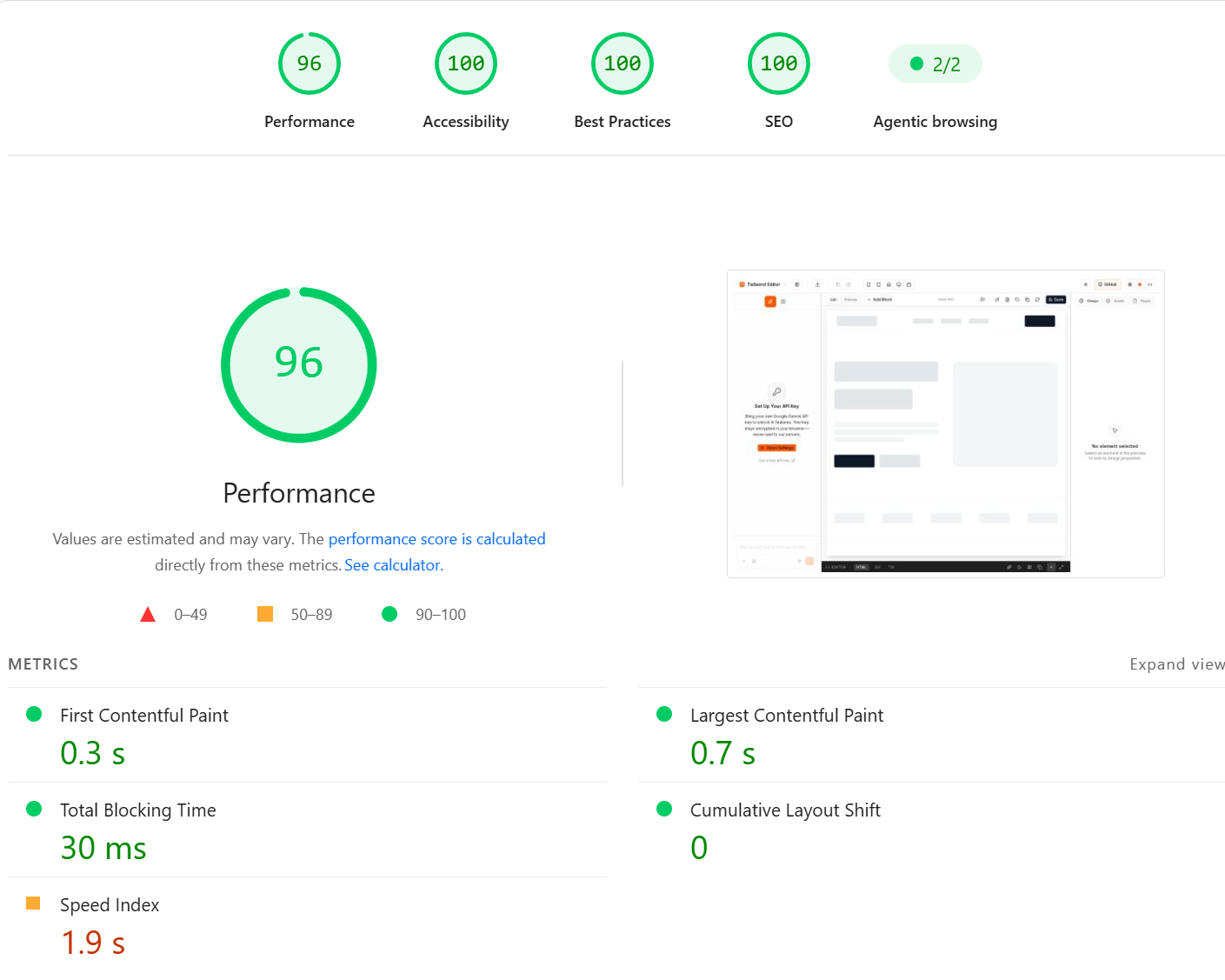
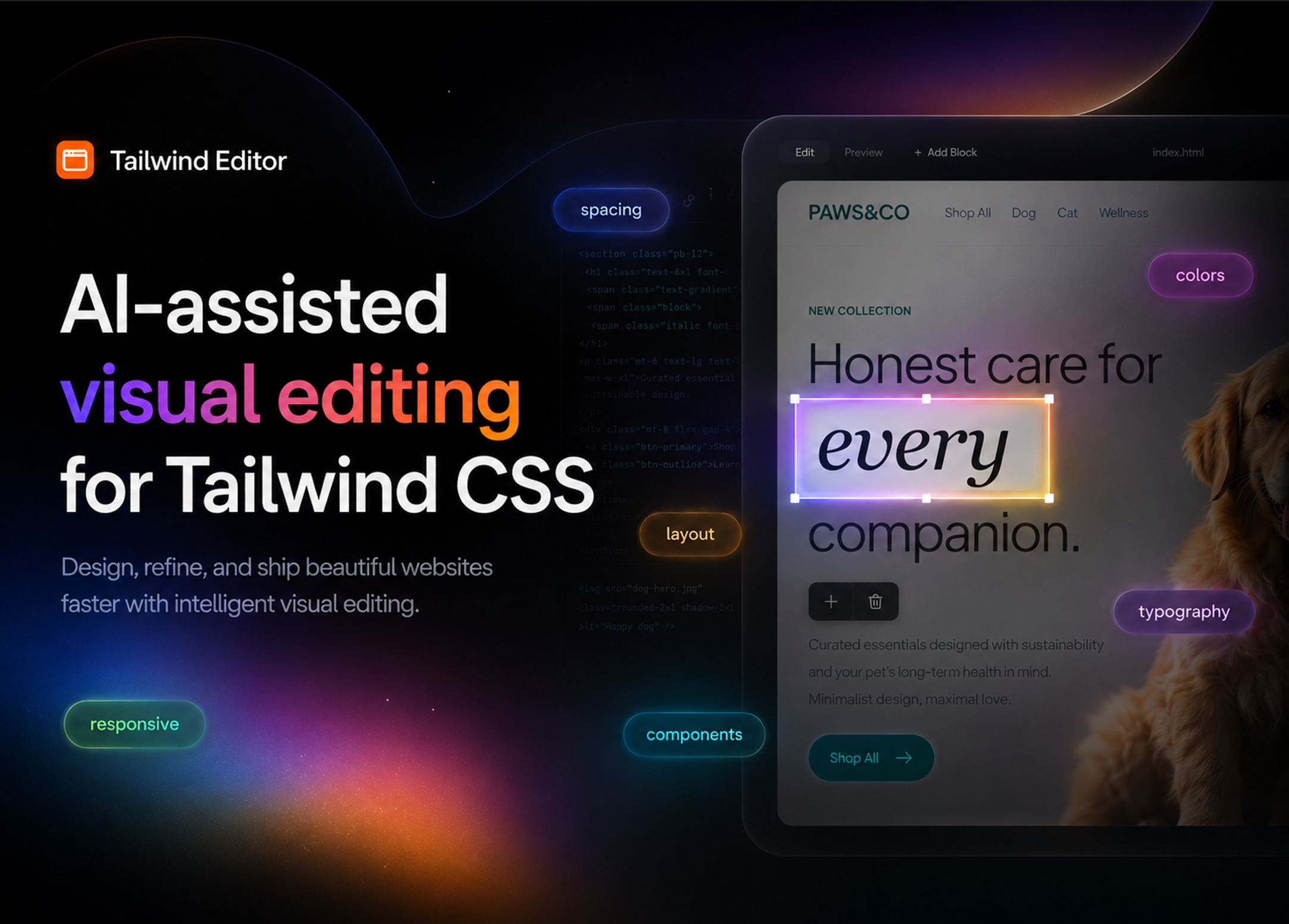
Tailwind Editor hero banner showcasing the visual interface100/100 Lighthouse PageSpeed Insights score for Tailwind Editor

As you can see from the Lighthouse report, the editor achieves almost perfect 100/100 scores across Performance (96/100), Accessibility (100/100), Best Practices (100/100), and SEO (100/100). Key metrics include:

  • First Contentful Paint (FCP): 0.3 s
  • Largest Contentful Paint (LCP): 0.7 s
  • Total Blocking Time (TBT): 30 ms
  • Cumulative Layout Shift (CLS): 0

What are the core features of the editor? How does the visual building aspect actually work?

The editor is built to bridge the gap between visual design and actual code writing.

Some of the core features include:

  • Visual Selection & Modification: Users can click to select elements directly inside a live iframe preview. The right-hand properties panel automatically parses the element's Tailwind classes and exposes visual controls for layout, spacing, typography, colors, borders, and more.
  • Drag & Drop (DND) Blocks: A left-hand library of pre-built component blocks that users can drag directly onto the canvas.
  • Double-Click to Code: If you prefer writing code, double-clicking any visual element instantly focuses the Monaco code editor on the exact line representing that element.
  • Responsive Previewing: Instantly switch the canvas between mobile, tablet, laptop, desktop, and TV breakpoints.
Tailwind Editor interface showing the properties panel, Monaco editor, and live preview

Building a live visual editor in the browser is notoriously difficult. What tech stack did you use to pull this off, and how did you map visual clicks to actual code?

Performance and state synchronization were the two biggest hurdles. If the UI lags while dragging a slider, the editor feels broken.

The core stack includes:

  • Frontend: Next.js 16 (App Router)
  • State Management: Zustand, specifically chosen because it avoids the re-rendering bottlenecks of traditional React Context.
  • Code Engine: Monaco Editor. It's the exact engine powering VS Code, bringing native features like Emmet support, syntax highlighting, and full undo/redo history to the browser.
  • Styling Engine: Built entirely on the new Tailwind CSS v4 engine.

The "Builder ID" Injection System

To map visual clicks inside the iframe directly to lines of code, I engineered a custom HTML parsing utility.

Before the raw code is passed to the iframe, the injectBuilderIds function scans the HTML string and injects a unique data-builder-id="__bid_1" attribute into every single DOM node. While doing this, it tracks the exact startLine and endLine of each node.

When a user clicks an element in the iframe:

  1. The iframe sends a postMessage to the parent window containing the builderId.
  2. The Zustand store intercepts the ID and instantly knows exactly which lines of code correspond to that element.
  3. If the user changes a padding property in the visual panel, the store runs a highly optimized Regex replacement (updateClassInHtml) to swap out the Tailwind classes in the raw code string without needing to parse a heavy Virtual DOM.

This ensures the code remains the ultimate source of truth, and updates happen instantly at 60FPS.

This top-tier performance is a direct result of the lightweight Zustand state management and Next.js 16 App Router optimizations, ensuring the editor remains incredibly fast without the typical Virtual DOM bottlenecks.

The project is marketed as an "AI-Powered" editor. How does the AI integration work, and how do you afford the server costs?

I integrated a dedicated AI Assistant panel powered by Google Gemini. The assistant can generate new sections, refactor existing code, or suggest Tailwind classes based on natural language prompts.

However, running AI inference for potentially thousands of users is incredibly expensive. To keep the platform completely free and open-source, I bypassed traditional server-side API routes and implemented a BYOK (Bring Your Own Key) architecture.

The Client-Side BYOK Engine

Instead of routing requests through my Next.js backend, the logic is entirely localized:

  1. Users grab a free API key from Google AI Studio.
  2. They paste it into the Editor's settings. The key is instantly encrypted using AES-256 via the Web Crypto API and stored purely in their browser's localStorage.
  3. When they send a message, my gemini-client.ts script uses the @google/generative-ai SDK to stream the response directly from the browser to Google's endpoints.

Zero data hits my servers. This guarantees 100% privacy for the user, eliminates rate-limiting bottlenecks on my end, and results in zero recurring infrastructure costs, allowing the project to scale infinitely.

Tailwind Editor AI assistant panel and code generation tools

What is the future roadmap for Tailwind Editor?

The editor is currently live at tailwindeditor.com and the code is fully open-source on GitHub.

Moving forward, I am actively building out advanced structural features:

  • Pages Management: Allowing users to create and manage multiple routes and dynamic templates instead of just single-page components.
  • DND Page Builder: Upgrading the Drag-and-Drop mechanics to allow full-page visual construction.
  • Layers Panel (AST Viewer): A visual DOM tree to easily rearrange nested elements that are hard to click in the canvas.
  • Autonomous AI Agents: Upgrading the chat assistant into an autonomous agent that can understand the entire project context, write multi-file components, and build full pages autonomously.