What is UiLib? What motivated you to build an open-source component library when things like Flowbite, Shadcnblocks, and Tailwind UI already exist?

UiLib is a comprehensive, open-source platform that provides over 600+ free React UI components and Tailwind CSS blocks, alongside a suite of free web-based CSS design tools (like mesh gradient generators and animation builders).

While libraries like Flowbite, TailwindComponents, and Shadcnblocks are incredibly popular, I conducted a deep analysis of the ecosystem and noticed distinct gaps:

  1. The Premium Paywall: Competitors like Shadcnblocks lock their best blocks behind premium tiers. The most complex layouts are rarely free.
  2. Fragmentation of Tools: Developers had to visit one site for components, another site to generate mesh gradients, and a third site to build complex keyframe animations.
  3. Semantic Class Clutter: Many libraries produce "div soup" with 30+ utility classes per element, making the code hard to read and maintain.
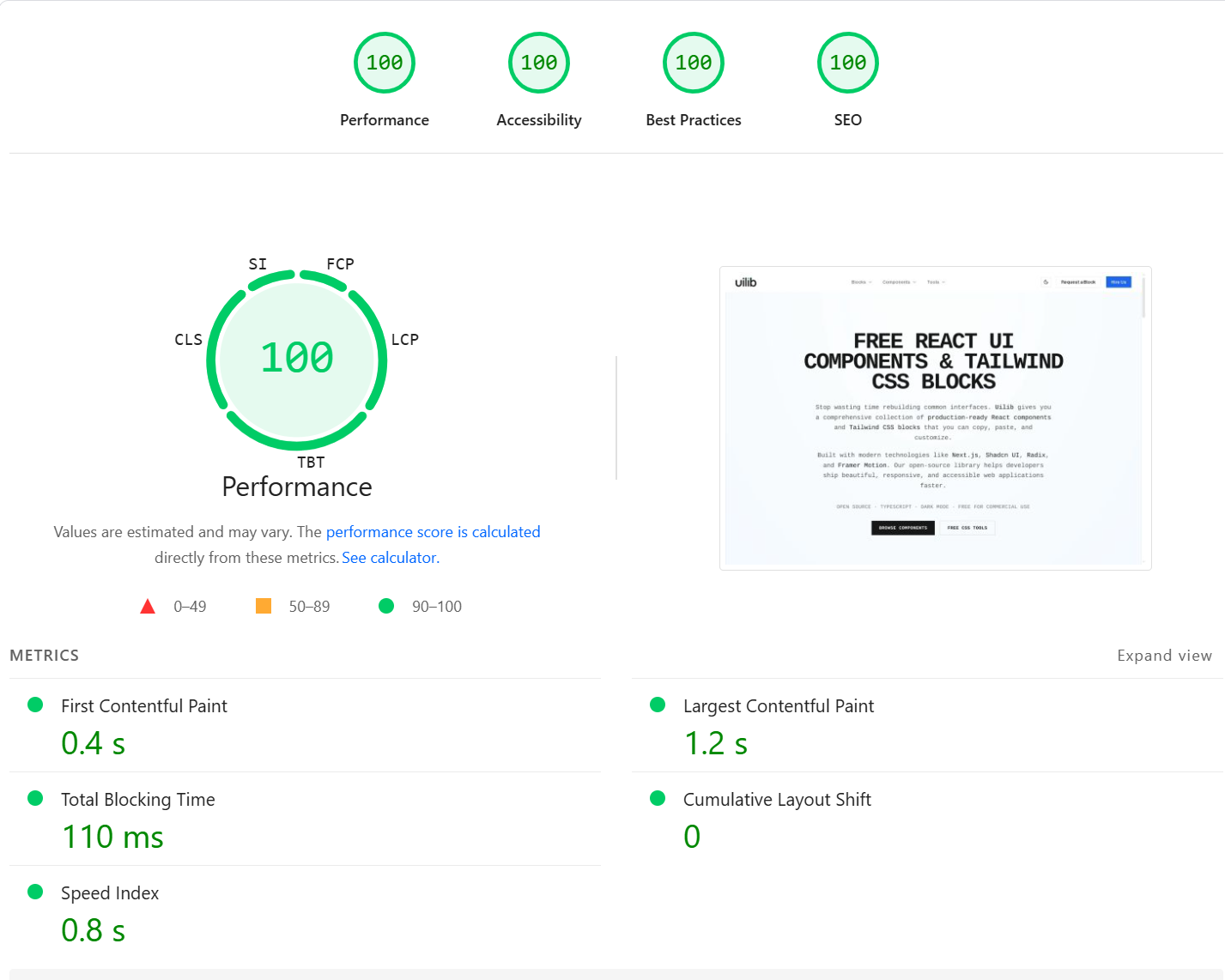
100/100 Lighthouse PageSpeed Insights score for UiLib

As you can see from the Lighthouse report, the platform achieves perfect 100/100 scores across Performance, Accessibility, Best Practices, and SEO. Key metrics include:

  • First Contentful Paint (FCP): 0.4 s
  • Largest Contentful Paint (LCP): 1.2 s
  • Total Blocking Time (TBT): 110 ms
  • Cumulative Layout Shift (CLS): 0

This top-tier performance is a direct result of utilizing Next.js Server Components and statically generating the 600+ component pages at build time, ensuring sub-second page loads that Google’s search crawlers reward heavily.

I wanted to build a centralized "UI For Creators" — a completely free, open-source repository that unifies high-quality, copy-paste React components with the interactive design tools needed to customize them, all in one place.

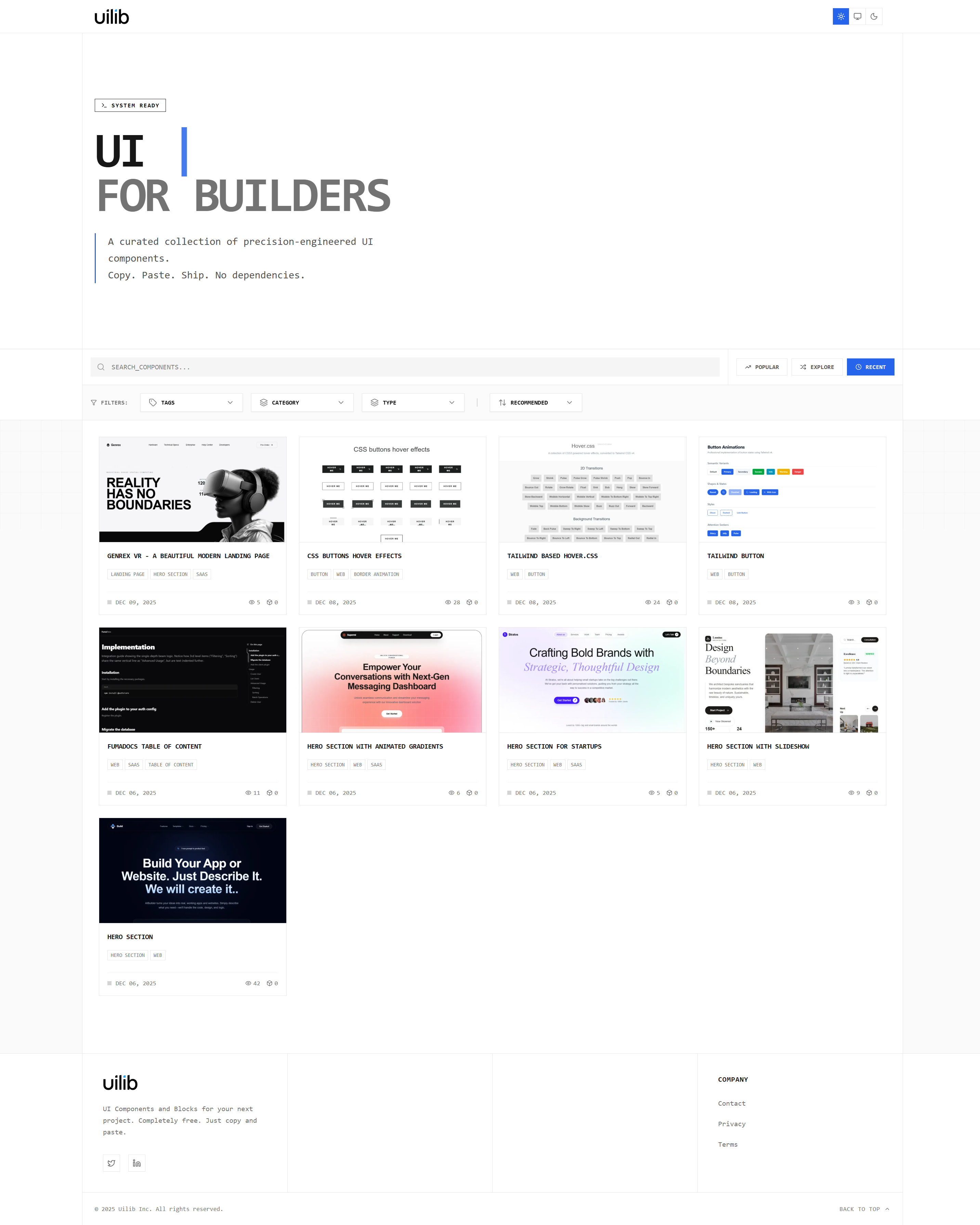
UiLib homepage showcasing the library of free React UI components and blocks

What was your technology stack for this project? Managing 600+ components sounds like it could get messy quickly.

To keep a project of this scale maintainable, UiLib is built as a highly scalable monorepo using Turborepo and the Better-T-Stack architecture.

The core stack includes:

  • Frontend / Framework: Next.js 15 (App Router) with React 19
  • Styling: Tailwind CSS and shadcn/ui for accessible primitive components
  • API Layer: tRPC for end-to-end type safety between the frontend and backend
  • Database: PostgreSQL managed via Prisma ORM
  • Authentication: Better-Auth for secure user sessions

By using Turborepo, I separated the application into strict boundaries:

  • apps/web: The massive Next.js frontend application.
  • packages/api: The tRPC routers and business logic.
  • packages/db: The Prisma schema, migrations, and queries.
  • packages/auth: The Better-Auth configuration.

This ensures that the massive library of components doesn't bloat the API logic. Furthermore, builds remain blazingly fast because Turborepo caches the unmodified packages across local and CI environments.

Exploring the extensive category system of Tailwind CSS blocks

Can you break down the actual component library? What types of blocks are available?

The library consists of over 600+ components categorized into 70+ granular block categories.

Some of the most popular categories include:

  • Core Layouts: Hero sections (with animated text), Feature grids, Footers, and Navbars.
  • Data Display: Pricing tables, Testimonials, Changelogs, and FAQ accordions.
  • Advanced Blocks: Bento Grids, Interactive Dashboards, Auth Forms, and complex Data Tables.

Each component is built with React, TypeScript, and Tailwind CSS. Users can view the component in a live preview, toggle between Light and Dark modes, and click "Copy Code" to instantly drop it into their Next.js or React projects.

Beyond components, you mentioned building design tools. Let's break those down. What exactly does each tool do?

I built an integrated ecosystem of 7 interactive design utilities. This keeps users on the platform instead of forcing them to search Google for standalone tools. All tools run at 60FPS using React State and Context APIs, providing real-time visual feedback.

Here is a detailed breakdown of the tools:

1. Background Gradients Generator

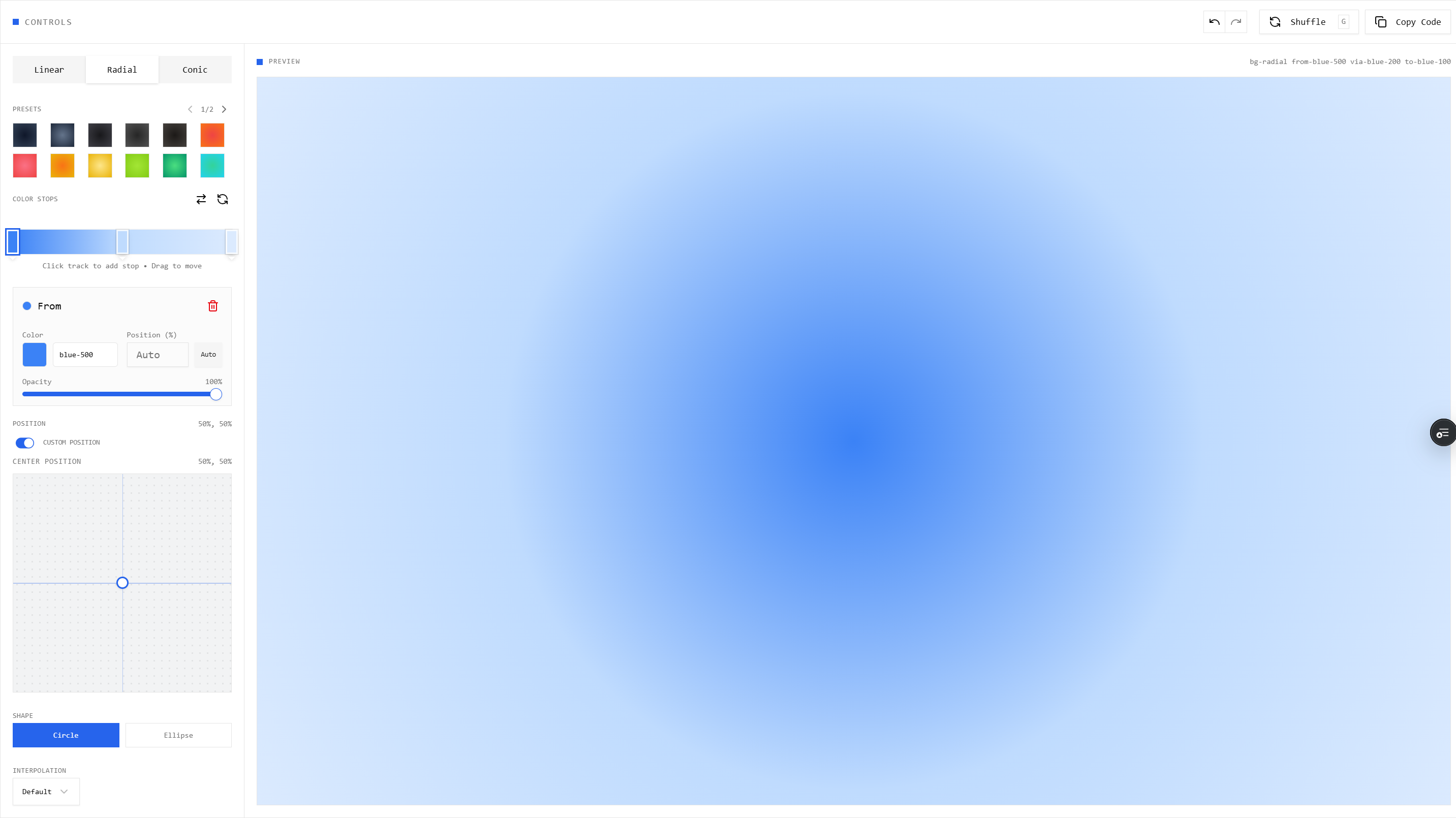
Allows users to create stunning linear, radial, and conic gradients. They can add multiple color stops, drag them along a visual timeline, adjust the angle using a dial, and instantly copy the raw CSS or Tailwind classes (bg-gradient-to-r from-blue-500...).

The interactive CSS Background Gradient design tool in action

2. Mesh Gradients Generator

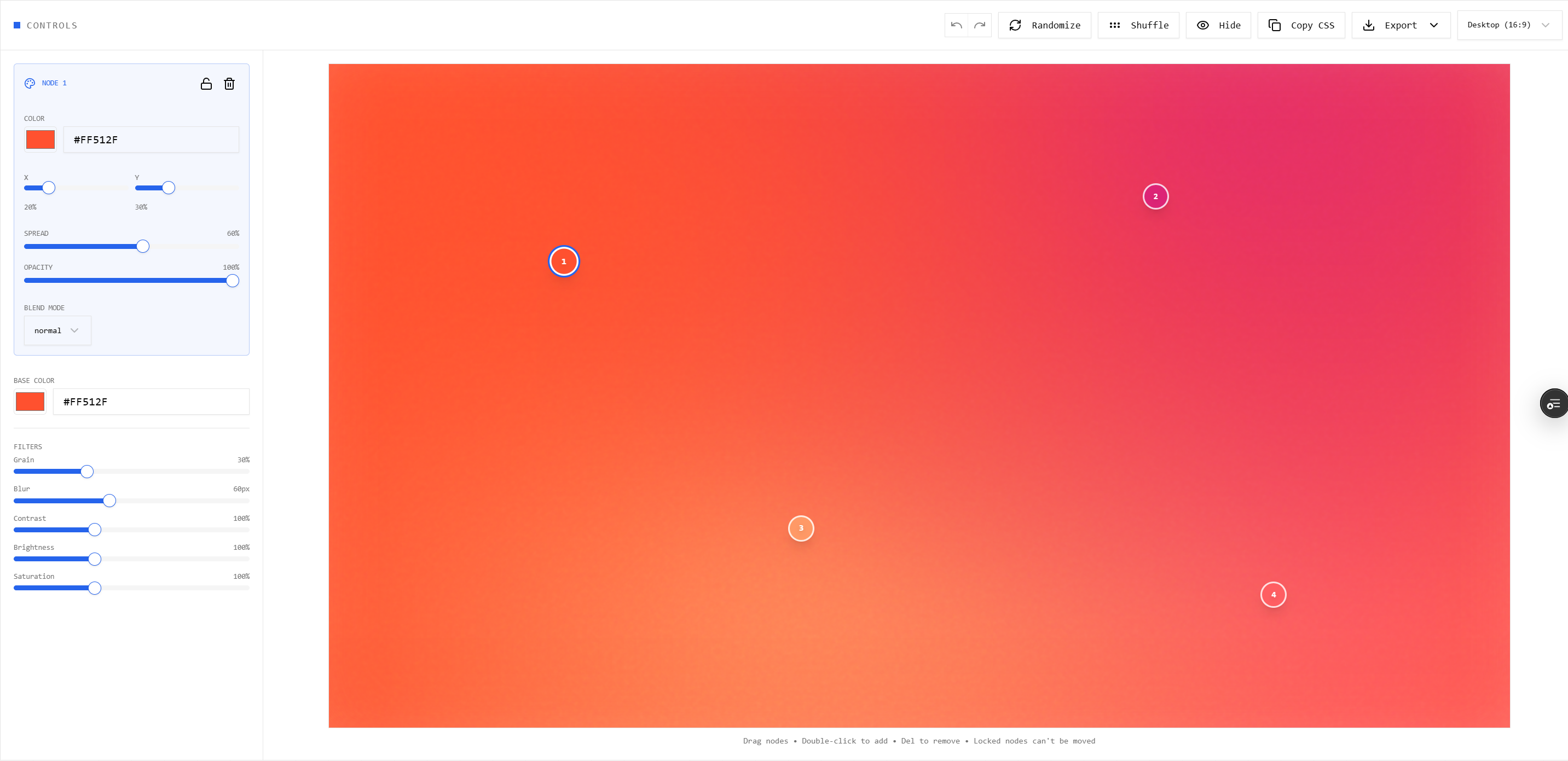
Mesh gradients are incredibly trendy but difficult to code manually. This tool lets users plot random color points on a 2D plane. Users can tweak parameters like dispersion, blending, and noise overlays to generate complex, fluid background meshes that export as a single CSS background property.

Mesh Gradient Generator creating fluid CSS meshes

3. CSS Keyframe Animations Builder

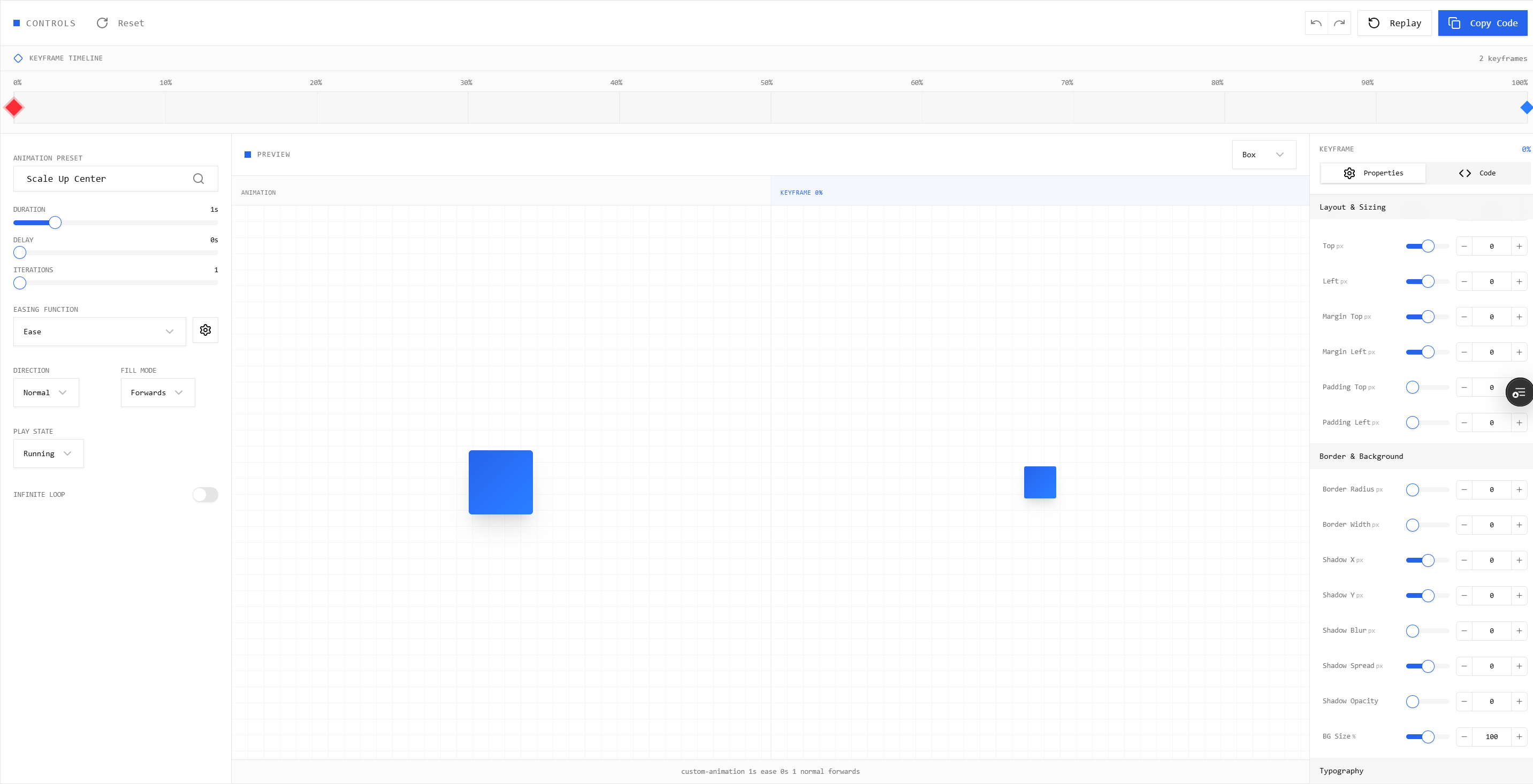
A visual timeline editor for keyframes. Users can define properties (opacity, transform, scale, rotation) at 0%, 50%, and 100% marks. The tool visually interpolates the animation in real-time, allowing users to fine-tune bezier-curve easings. It exports the exact @keyframes CSS required.

CSS Animation Builder generating custom keyframes

4. Color Palette Generator

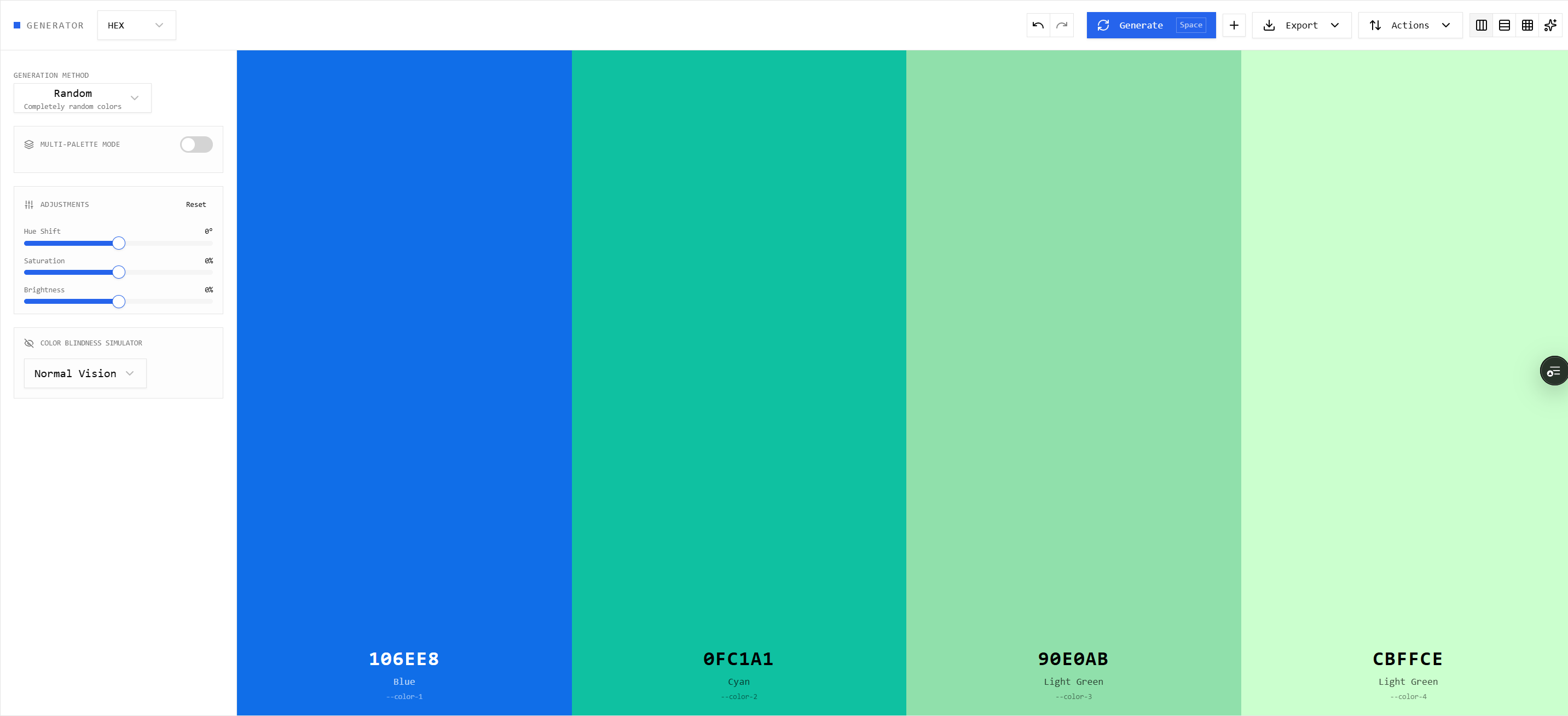
A programmatic color tool that accepts a single hex code and automatically generates a complete 11-shade palette (from 50 to 950) that adheres to Tailwind's luminance and saturation curves. It's perfect for developers creating custom themes who need WCAG-compliant contrast ratios.

Generating Tailwind-compliant 11-shade color palettes programmatically

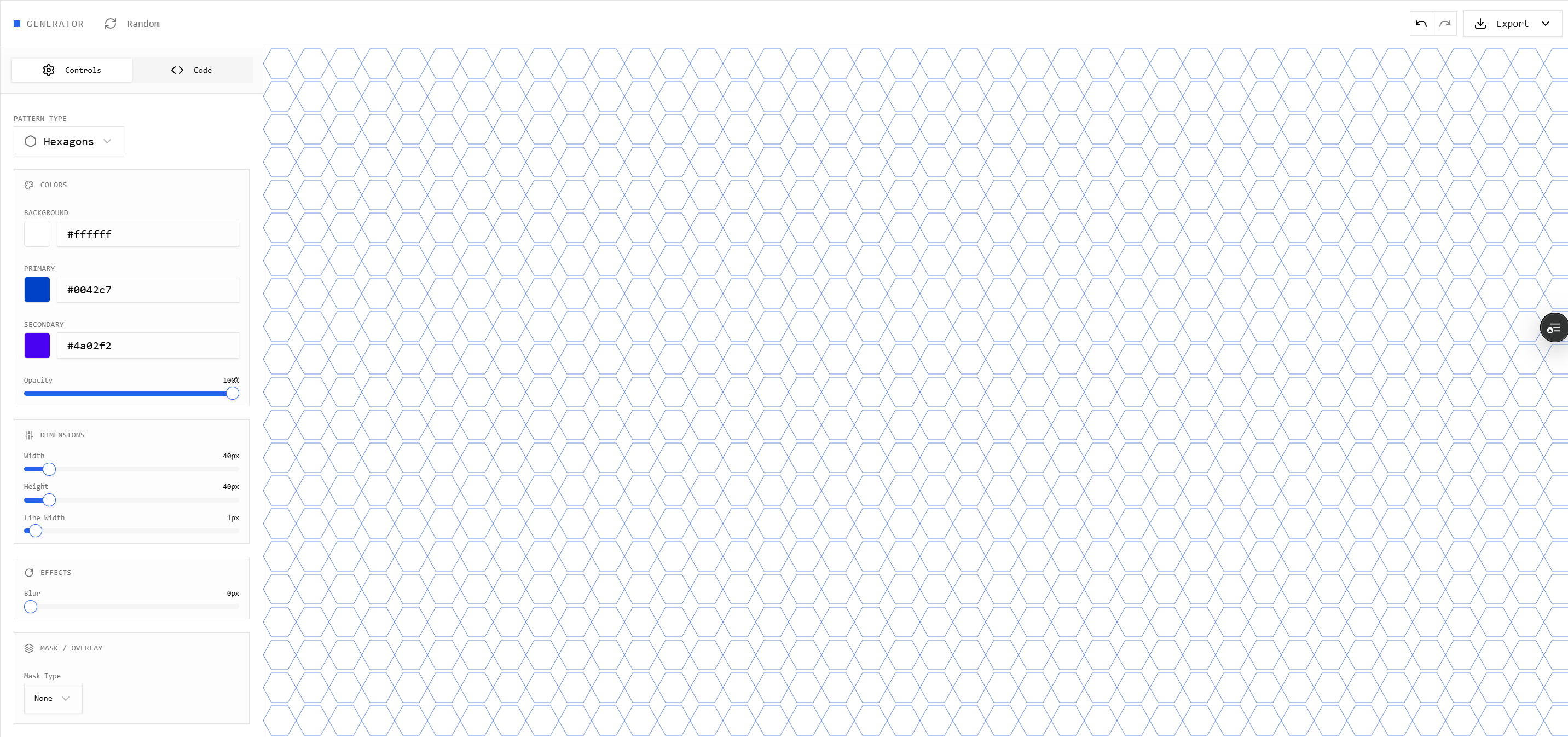
5. CSS Patterns Generator

A utility that generates repeating backgrounds like dots, grids, graph paper, and zig-zags without using any external images or SVGs. It relies purely on advanced CSS background-image and radial-gradient math, keeping the final output incredibly lightweight.

CSS Patterns Generator building repeating grids and dots

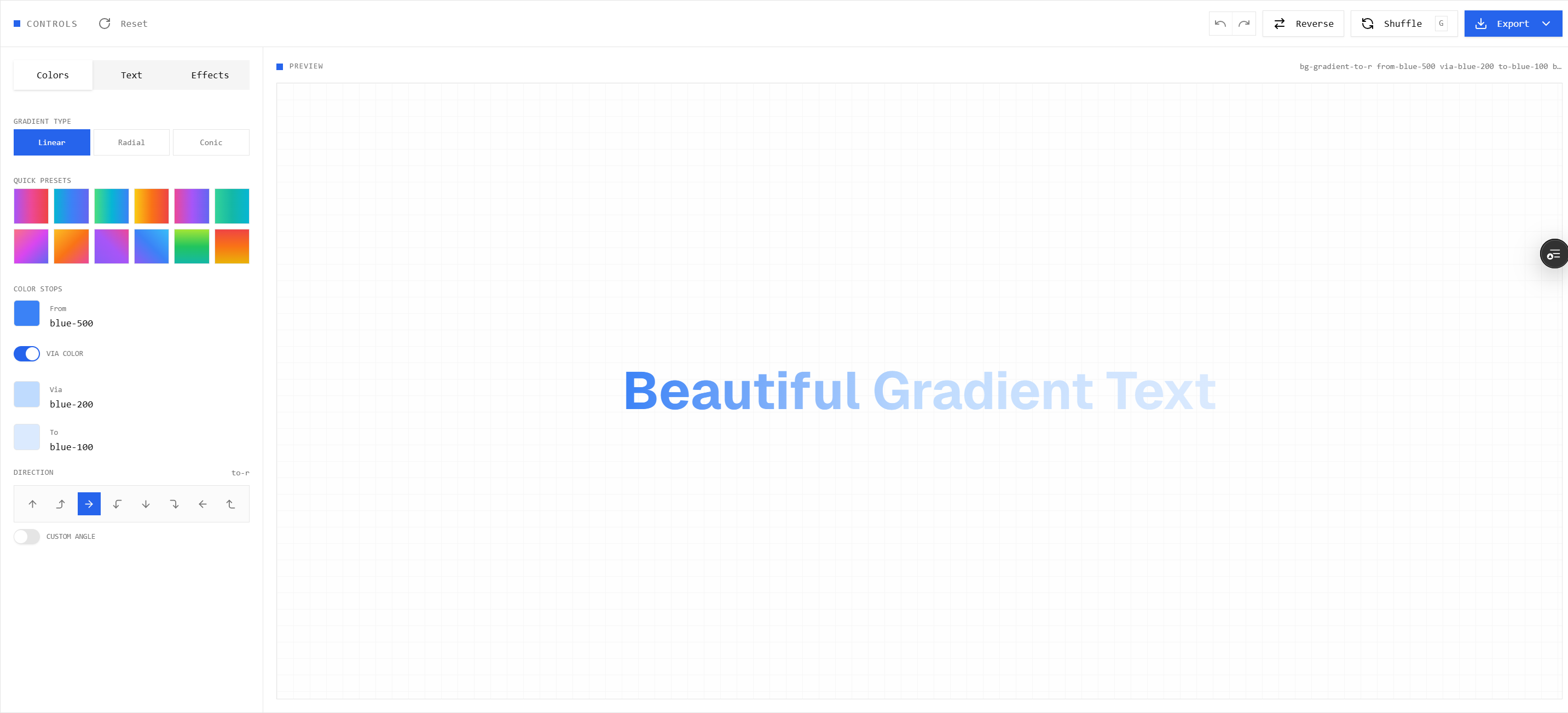
6. Text Gradients Generator

A quick tool specifically optimized for typography. It applies background-clip: text and -webkit-text-fill-color: transparent alongside beautiful gradient presets so developers can instantly create modern, Apple-style hero text.

Text Gradients tool for modern typography styling

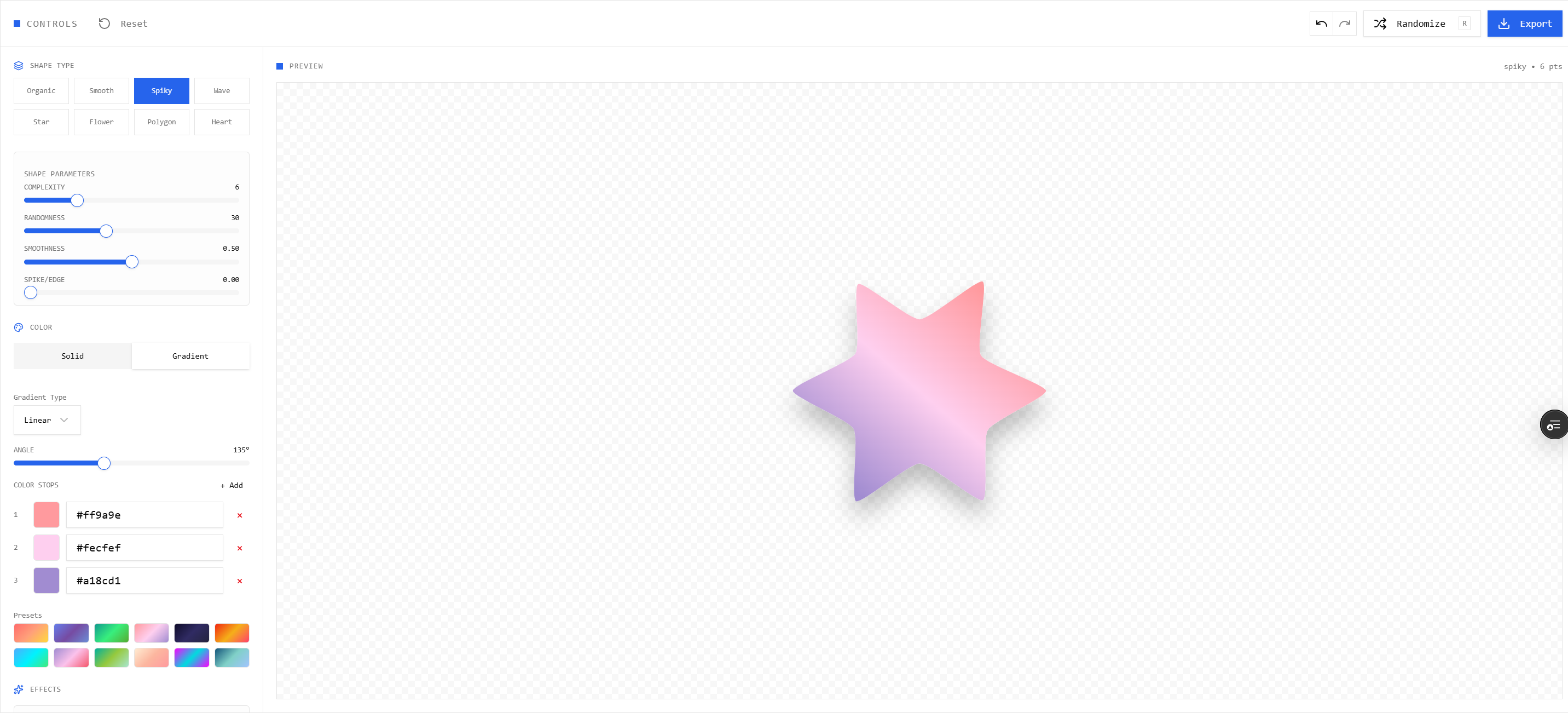
7. SVG Blob Generator

A visual slider tool that generates organic, ameba-like SVG shapes. Users can adjust the "Complexity" (number of nodes) and "Contrast" (sharpness of curves). The output is a highly optimized <svg> tag that can be pasted directly into JSX.

Generating SVG Blobs and organic shapes

Building the library is one thing, but getting developers to find it is another. I noticed you ran a very extensive SEO audit and implementation plan. Can you walk me through your SEO strategy?

Absolutely. SEO was the most critical growth lever for UiLib. When I first checked the metrics, organic traffic was stagnant at around 180 impressions a month.

I conducted a massive competitive analysis against Flowbite, TailwindComponents, Shadcnblocks, FlyonUI, and TailwindFlex. I discovered a massive "Thin Content" problem on my site: my dynamic component pages only had ~150 words of text, while competitors had 500-1500+ words of educational content, tutorials, and deep documentation per page.

To fix this, I engineered a highly structured 4-Phase SEO Implementation Plan to grow traffic to 10,000+ monthly impressions.

Phase 1: Critical Technical Fixes

  • Structured Data: I injected comprehensive JSON-LD Organization, WebSite, BreadcrumbList, and SoftwareApplication schemas. This allowed Google to understand exactly what each design tool did, enabling Rich Snippets in search results.
  • H1 & Meta Optimization: Replaced generic titles like "UI For Creators" with highly targeted, keyword-frontloaded H1s like "Free React UI Components & Tailwind CSS Blocks Library".

Phase 2: Content Foundation & Programmatic SEO

  • Combating Thin Content: I added 300+ words of keyword-rich educational content (Use Cases, Features, "How to Use", FAQs) to every single category and tool page.
  • Internal Linking Graph: I built a strong contextual linking system. If a user is on the "Background Gradients" tool, the page automatically links to "Mesh Gradients" and "Color Palettes".
  • Canonical URLs: Implemented rigorous canonicals across the 600+ dynamic component pages to prevent duplicate content penalizations.

What were the results of the platform and the SEO push? What are your future plans for phases 3 and 4?

The SEO overhaul established a rock-solid foundation that started pushing organic impressions exponentially.

By focusing on long-tail keywords (like "free mesh gradient generator css" or "copy paste tailwind components"), UiLib started capturing high-intent developer traffic that the larger competitors were ignoring.

Moving forward into Phases 3 and 4, the plan is to:

  • Launch a Blog & Learn Section: Writing comprehensive tutorials like "How to Build a Landing Page with Tailwind CSS" to capture informational search intent.
  • Comparison Pages: Building detailed programmatic comparison pages (e.g., uilib-vs-shadcn, uilib-vs-flowbite) to capture bottom-of-funnel "alternative" searches.
  • Community Contributions: Opening the platform for users to submit their own components, complete with user profiles and leaderboards, transforming UiLib from a library into a true community ecosystem.